01 · 2D map
A place with meaning.
Frame a neighbourhood, a favourite square or the place where a story began. Choose the map appearance, paper colour, title and caption.
Skyline Canvas · City artwork & memories
A place you love.
A moment you want to keep.
Turn a city, a favourite route or a meaningful place into artwork. Shape the colours and typography, keep an editable memory and share a piece of your world.

Five starting points
Choose a format, adjust its design and add the words that make it personal.
01 · 2D map
Frame a neighbourhood, a favourite square or the place where a story began. Choose the map appearance, paper colour, title and caption.
02 · 3D city poster
Give a city map depth with a tilted view and buildings where height data is available. Export a finished poster as PNG or PDF.
03 · Route artwork
Design a calculated route or record a walk, run, cycle or hike you start yourself. Choose solid, dashed or dotted lines, their width and colours, and numbered, circle or pin markers.
04 · City moment
Choose illustrated city artwork at sunrise, in daylight, at sunset or at night. Add your own words, date, time and available weather details. Animated weather effects can be switched on or off.
05 · Animated city story
Bring the four light phases together in a city story. Preview the animation, adjust its duration and export a GIF or MP4.
Your finishing touch
Start with one of twenty templates. Explore six font styles, adjust text and paper colours, and show route distance when it belongs in your design.
Made with Skyline Canvas
Actual exports from the current app, using public example locations. Fonts, route styling and perspective are part of the design.
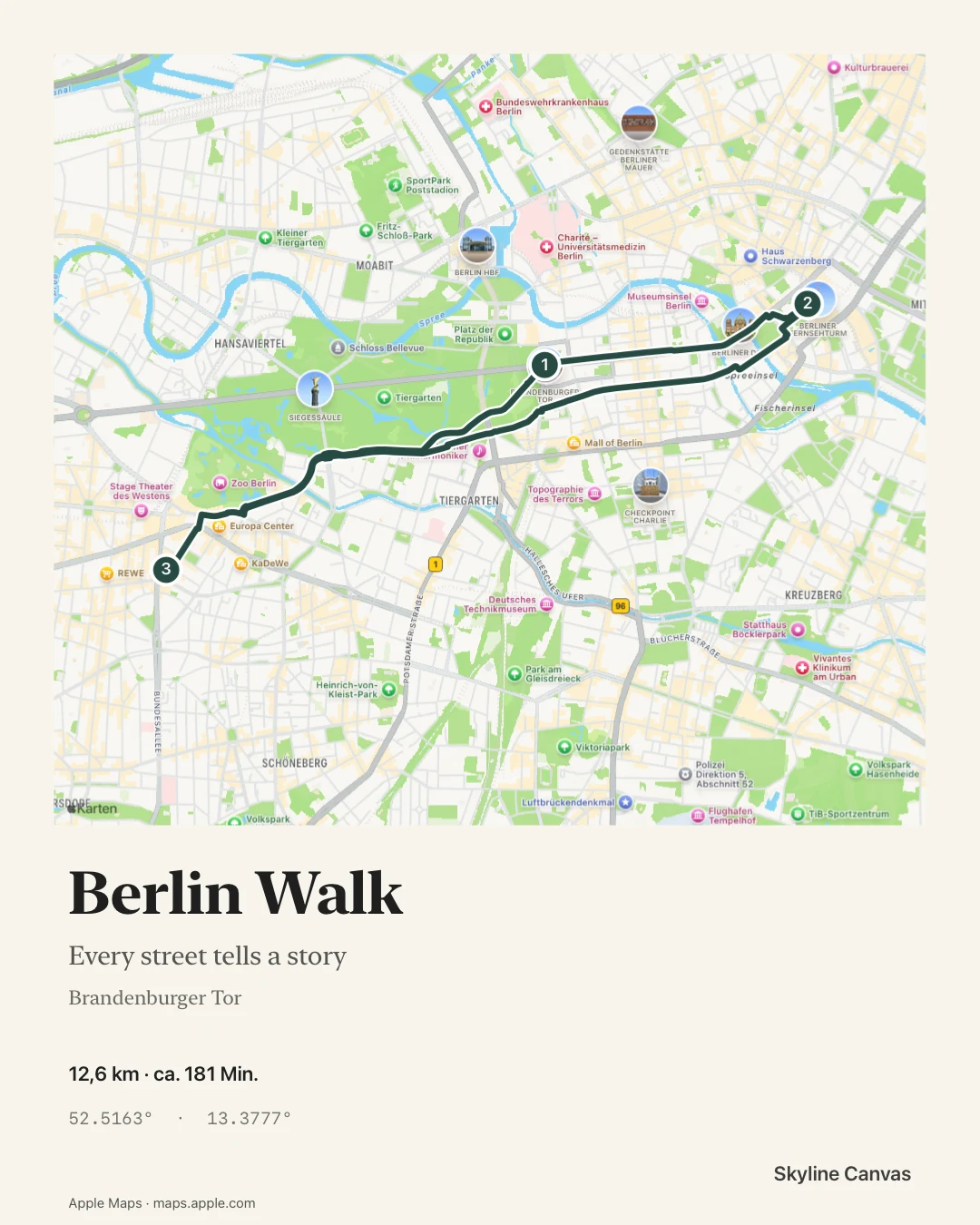
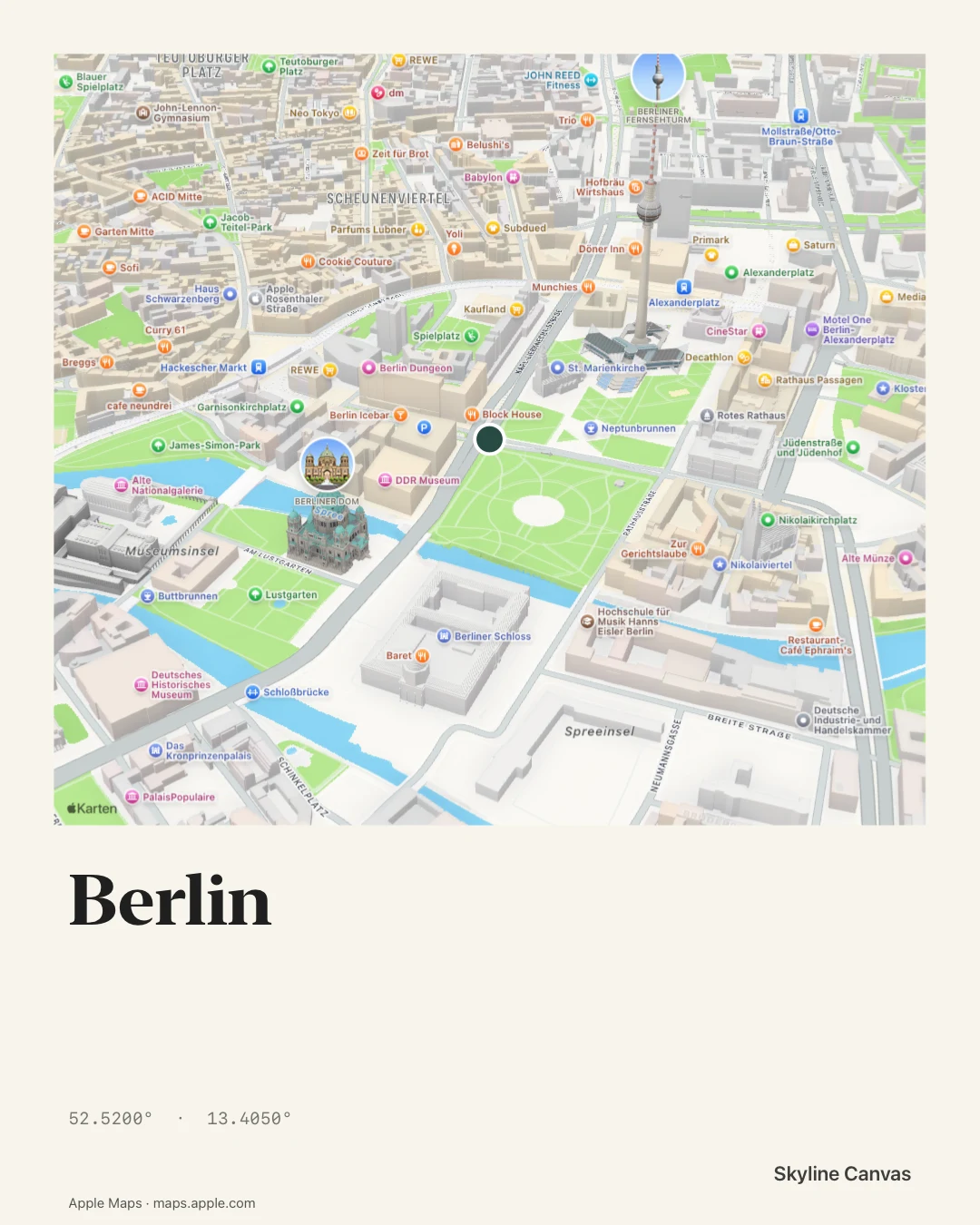
Map examples and calculated routes use Apple Maps. Apple’s map logo and attribution remain visible in exports. Online services require a connection.
Memories, exports & widgets
Save an editable memory, find it again in your library or globe view, and duplicate it for another version. Export PNG images and PDF documents for sharing or printing, or animated city stories as GIF and MP4.
Add a framed 2D map or city-artwork widget to your Home Screen. Explore seventeen design directions, from digital and classic to birthday, love, wedding and newborn motifs. Saved-map widgets can include a date and time. City-weather widgets show temperature, forecast information and changing light phases; their weather effects are still images refreshed by iOS. Available cities, widget sizes, weather, export quality and watermark options depend on the access shown in the app. iOS controls widget refresh timing.
Your creations & your data
No Kaspar Media account is required. Memories and editable source files stay on your device. Online maps, explicit place searches, calculated routes and weather use external services.
A GPS recording begins when you start or resume it. You control pause and finish; an active recording can continue in the background. Recorded tracks stay local until you choose to export or share them.
Read the privacy policyAn expanding city collection
The home screen can follow the nearest available city and its time of day, or you can choose a catalogue city in Settings. City slots and replacement intervals depend on your access level.
More cities and artwork improvements are being prepared. Additional artwork is planned as fifteen regional downloads through Apple. A manual download shows the whole region and its size before you begin. Once downloaded, its artwork is available offline; saved memories keep their own copies.
Regional downloads are being prepared for launch. The current app includes its initial collection. Online maps, new place searches, calculated routes and fresh weather need a connection and available services.
Help shape the collection
Tell us the city and country you would like to see, or which landmark could be improved. Suggestions guide future work; a particular addition or date is not guaranteed.
Opens a draft in your email app. You review and send it yourself.
Questions & answers
For an issue with a creation, recording, widget or purchase, contact Skyline Canvas support.
The current app targets iPhone and iPad with iOS or iPadOS 26 or later. Its interface and templates support English, German, Spanish and French. Final compatibility will be shown in the App Store listing.
You do not need a Kaspar Media account. Location permission is used for the nearest city, your current map position and recordings you start. You can choose a catalogue city manually; GPS route recording requires location access. Change permissions in your device’s Privacy & Security settings.
Use Pause to stop adding points and active recording time, Resume to continue, and Finish to end the session. An active recording can continue in the background or while the screen is locked. After an interrupted recording, the app restores its saved checkpoint in a paused state. Review it before choosing to continue.
Already available city artwork and saved memories remain on your device. Saved map snapshots can be used for re-export. Loading a new map area, searching for places, calculating a new route or refreshing weather requires internet access and the relevant service.
Artwork is being prepared in fifteen regional packs hosted by Apple. Choosing a city whose artwork is missing shows its region and compressed download size before you confirm. Settings includes connection preferences, progress, retry and removal for eligible regions. Downloading a pack does not itself change your selected city or use a replacement slot. These downloads are still being prepared for launch.
iOS schedules widget updates. Check the selected city, the widget’s style and size, your available access and your connection for fresh weather. Open the app to refresh its local information. If a problem continues, send support those details and the error shown.
Memories are local editable files. Keep exported copies of important creations in Photos, Files or another destination you choose before deleting the app. A purchase restoration restores eligible access, not deleted memories. Your Apple backup and sharing settings apply separately.
Skyline Canvas is in development; an App Store release date has not been announced. Free, Pro and Deluxe access are being prepared. Final products, included features and prices will be displayed before any purchase. TestFlight uses Apple’s test environment; public App Store purchases require confirmation through Apple. Read the terms of use.
Skyline Canvas is in development for iPhone and iPad. An App Store release date has not been announced.
The current app supports English, German, Spanish and French. Free access and optional monthly or yearly Pro and Deluxe subscriptions are prepared. Eligible new subscribers can receive a seven-day trial. Apple shows the local price and billing terms before confirmation.
Contact Skyline Canvas supportGood to know